Check Odio el Chocolate Android editions, 32/64-bit compatibility and practical steps for investigating installation errors and crashes.
•••DIAGRAM
32-BIT / 64-BIT
Your system decides.
A 64-bit CPU can run a 32-bit system. A device name or Android version alone is not enough to choose an APK. Check your manufacturer’s documentation to confirm application support.
You do not need an unknown diagnostic app. If you cannot confirm the architecture, ask the manufacturer before downloading.
Native Android is different from installing this site
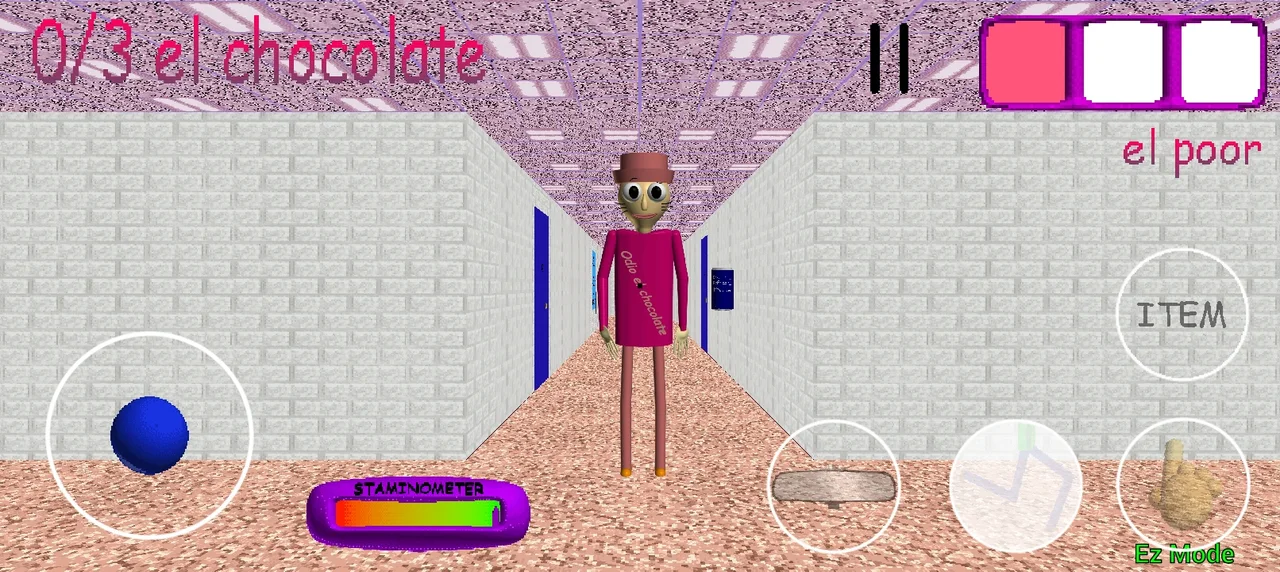
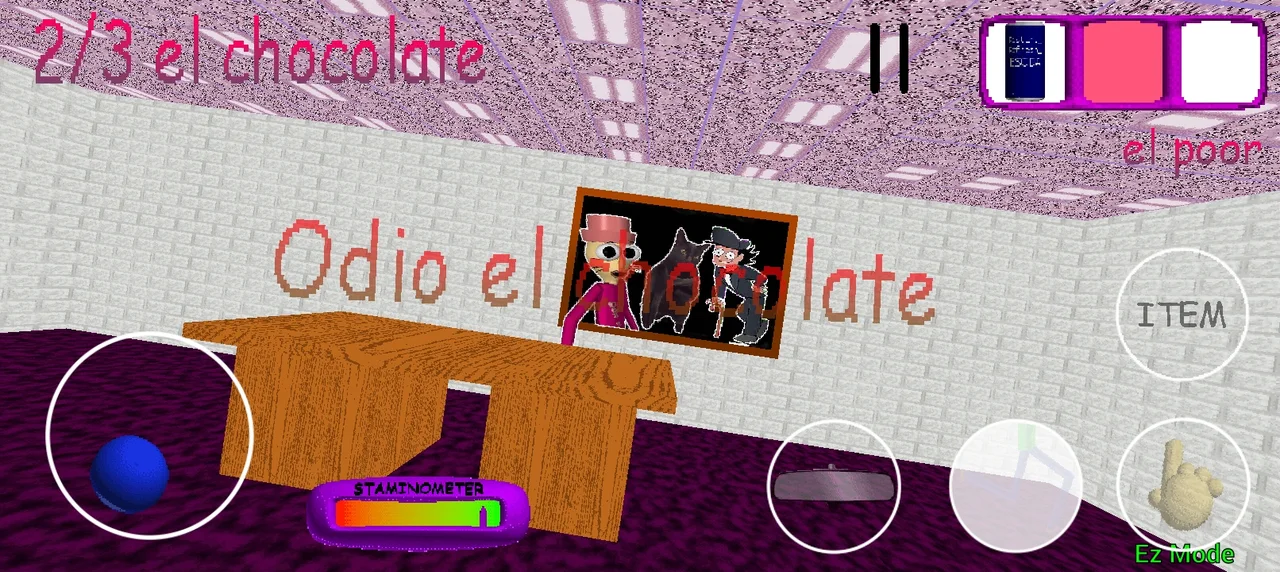
Wantho’s Android screenshot: visible joystick, pause and touch buttons. These are not iframe controls.Wantho · Android ↗Another Android screenshot shows 2/3 chocolates and a different inventory selection.Wantho · Android ↗
These images show the published Android interface, not proof that it will run on your phone. The APK and installed website remain different products: this site’s Install App button does not download the APK or add its joystick to the browser.
01
Before downloading
Write down the exact model, Android version and architecture supported by the system. Wantho publishes 32-bit and 64-bit files; do not choose simply by which sounds newer. A device with a 64-bit processor can still have system or application limitations.
02
When opening the APK
Android may request permission for the app opening the file. For Pixel, Google documents Settings → Apps → Special app access → Install unknown apps; other manufacturers may use different labels. Check the source, keep Play Protect enabled and remove the permission when no longer needed.
03
If the system blocks installation
Distinguish missing permission, an incomplete file and a security warning. They are different problems. Record the exact message and consult your device documentation; switching between 32-bit and 64-bit APKs does not necessarily resolve a block.
04
If the menu opens but the scene fails
The author describes a School House crash on an OPPO A18. Opening the menu therefore does not establish that gameplay works. Record the scene or action where it closes, the APK used and whether it repeats after restarting the device.
Use a format like this and replace each field with what you actually observe. Do not publish serial numbers, accounts or personal details. A comment saying “works for me” without model, version and APK cannot establish phone compatibility.
Environment
Exact model · Android · 32/64-bit APK · version if displayed
Steps
Open app → choose mode → scene or action where it fails
Result
Closes / freezes / exact message · how often it happens
Confirm the APK is from Wantho and the download completed. Find your model and Android version in Settings → About phone. A 64-bit CPU does not guarantee a 64-bit Android system; ask the manufacturer which apps it supports. Do not disable device protection.
See all troubleshooting paths
Won’t install
Confirm the APK is from Wantho and the download completed. Find your model and Android version in Settings → About phone. A 64-bit CPU does not guarantee a 64-bit Android system; ask the manufacturer which apps it supports. Do not disable device protection.
Crashes in game
Close other apps and restart the device. The author reports a School House crash on an OPPO A18; there is no verified universal fix. Preserve your data before reinstalling and report your model, system and APK edition.
Black screen
Allow loading to finish, check available storage and reopen the app. If it persists, note where it happens. In a browser, try the direct link with keyboard and mouse; installing this website does not turn the game into an Android app.
Wantho reports a crash in this scene on the author’s own device and warns of severe lag on some Android devices. This describes a specific issue, not a list of all compatible devices.